Have you ever tried generating a fluffy knitted or stuffed animal concept using artificial intelligence only to end up with something that looks like hard plastic? Getting that soft and tactile look where you can almost feel the yarn and fleece through the screen is surprisingly difficult. Most default generators struggle with macro textures like fuzz felt and amigurumi crochet loops.
There is a massive market for kawaii art toys blind box figures and custom plushies right now. Crafters 3D artists and digital creators need a reliable way to visualize these concepts before spending hours making them by hand or sending them to a manufacturer.
That is exactly what this prompt solves. By specifying the exact camera lens lighting conditions and fabric types you force the AI to behave like a high-end product photography studio. We are bypassing the generic digital render look entirely. Instead we are telling the system to focus on macro details like tiny embroidered mouths glossy bead eyes and the individual fibers of chunky knitted yarn.
Whether you want to design a sleepy kitten in a fleece hoodie or a barista penguin holding a tiny coffee cup this setup gives you a perfect pure white background every single time. It isolates your character making it incredibly easy to cut out share on social media or use as a direct reference for your next crafting project. Let us look at the exact text you need to copy to make this work.
UNLOCK EXCLUSIVE PROMPTS!
FREE ACCOUNT REQUIRED TO VIEW THIS CONTENT
Create a free account to unlock this prompts (takes 30 seconds).
By creating an account, you agree to our
Privacy Policy.
Variations Section
Here are 5 alternative descriptions you can plug into the [INSERT SUBJECT] and [INSERT ACCESSORY] sections of the main prompt to achieve the different styles shown in the reference images:
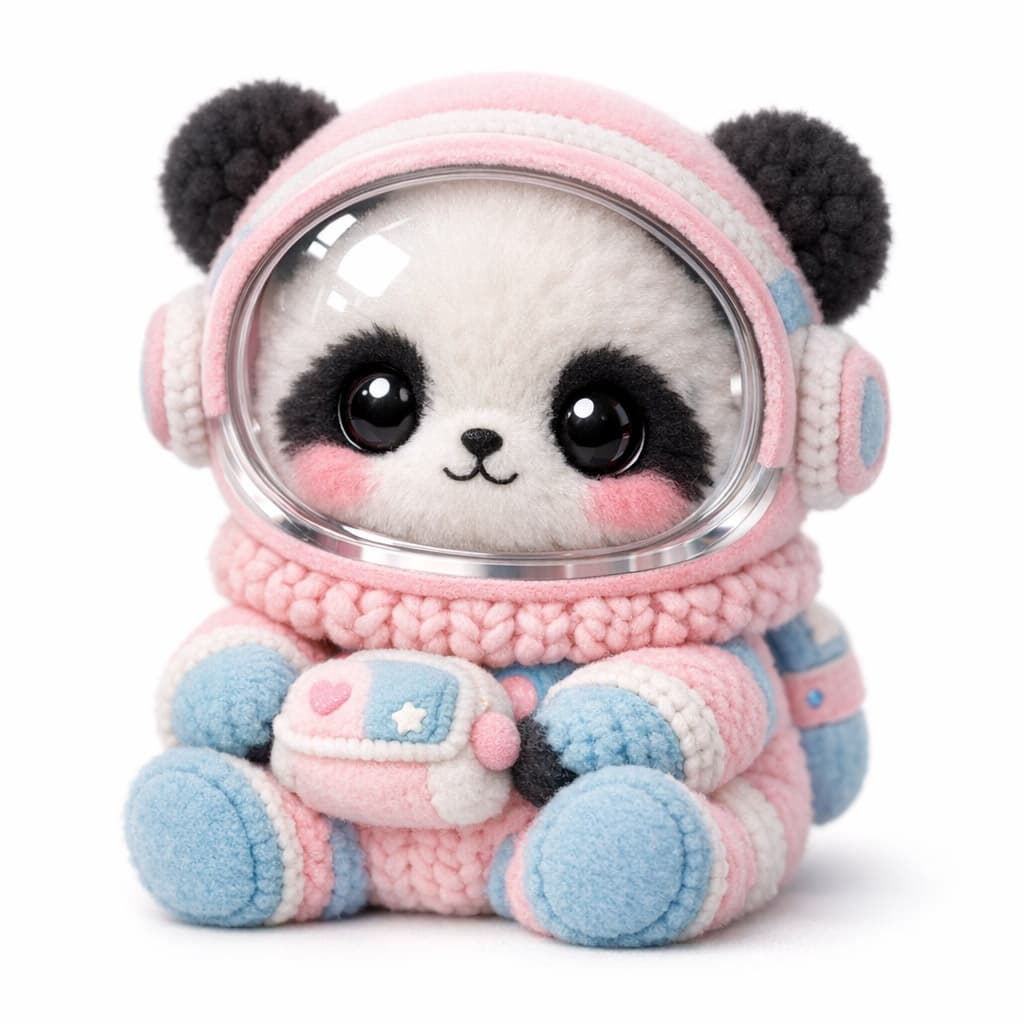
Variation 1: The Space Panda
- Subject: a baby panda
- Accessory: a plush astronaut suit with pastel pink and light blue accents, and a clear plastic space helmet visor reflecting the studio lights.
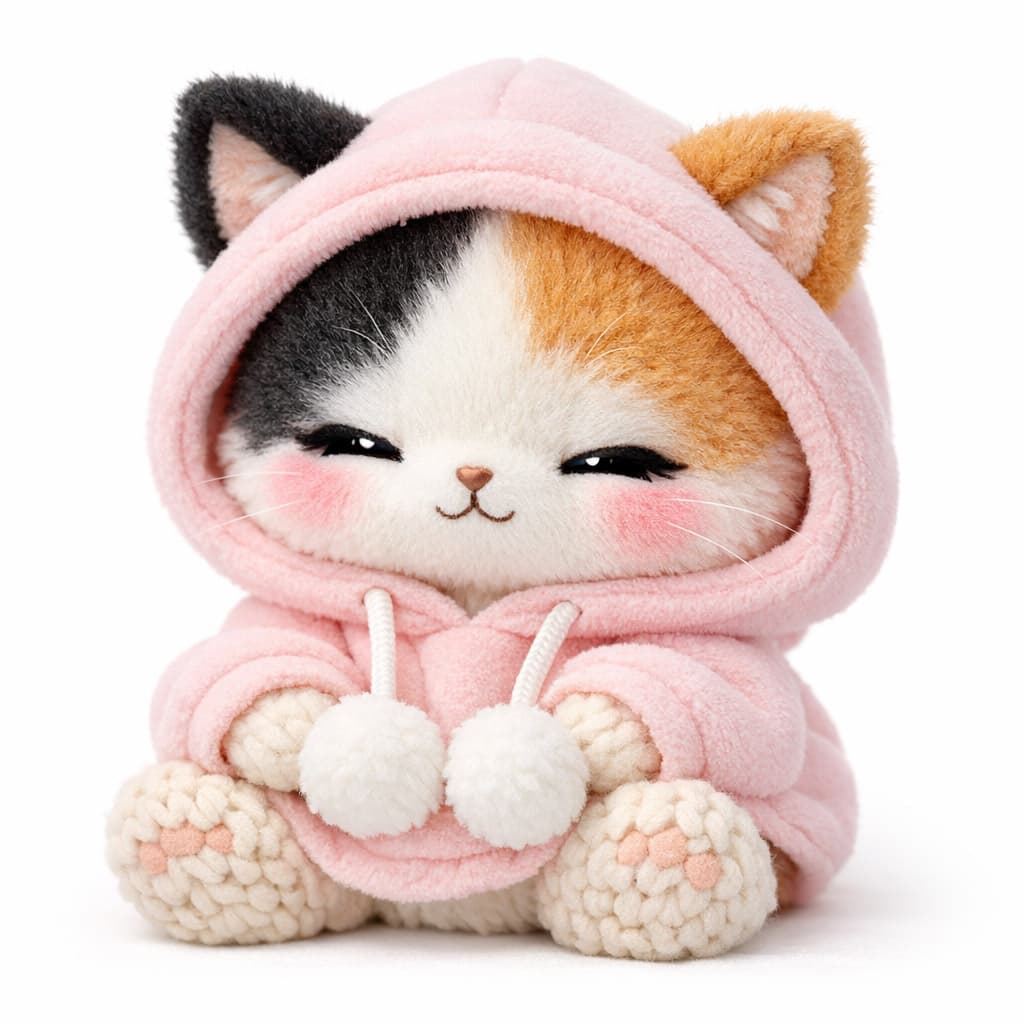
Variation 2: The Sleepy Hoodie Cat
- Subject: a sleepy calico kitten with its eyes closed
- Accessory: an oversized, ultra-soft pastel pink fleece hoodie with drawstrings and little white pom-poms resting on its lap.
Variation 3: The Barista Penguin
- Subject: a chubby baby penguin
- Accessory: a brown felt barista apron with an embroidered coffee cup logo, a pastel mint-green beret, and holding a tiny ceramic mug filled with coffee featuring heart-shaped latte art.
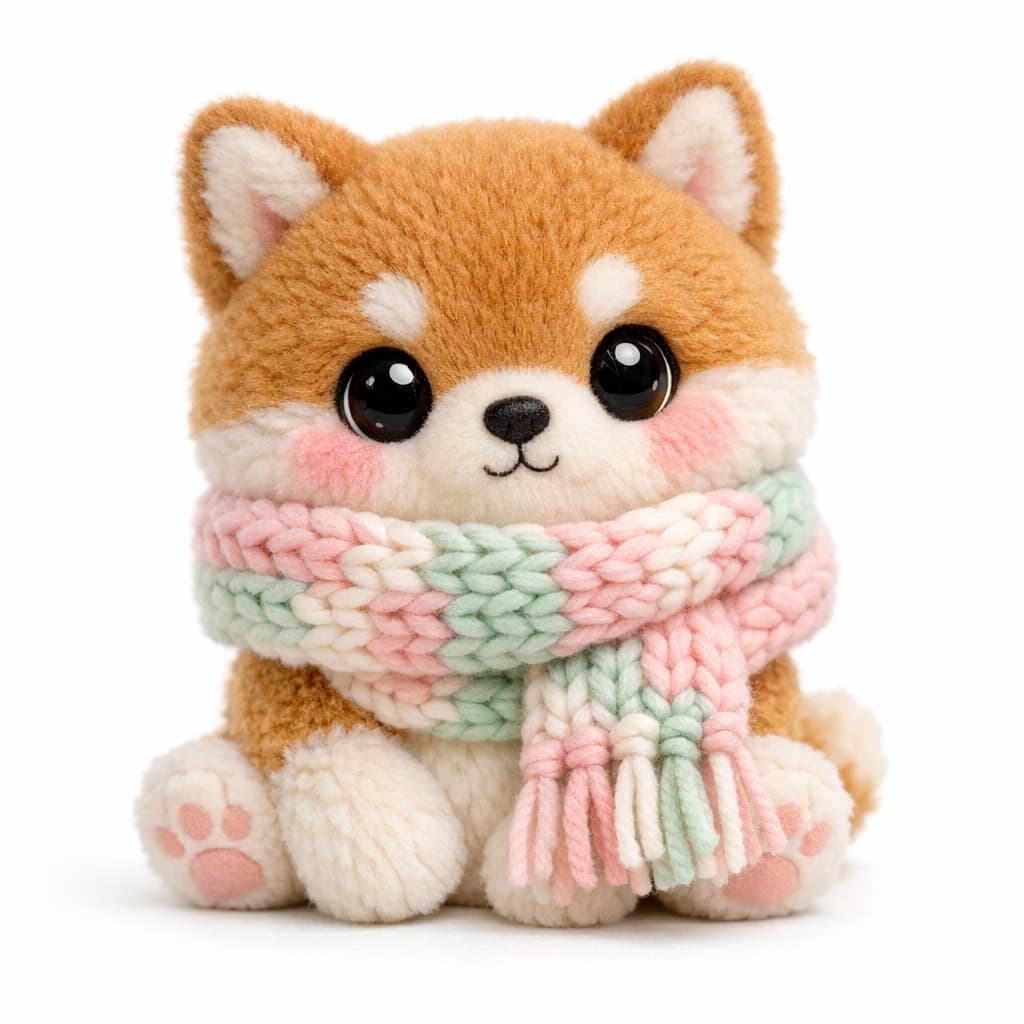
Variation 4: The Winter Shiba Inu
- Subject: a fluffy Shiba Inu puppy
- Accessory: a thick, oversized, chunky-knit winter scarf wrapped around its neck, featuring pastel pink, mint green, and white stripes with fringed ends.
Variation 5: The Sweet Honey Bear
- Subject: a sweet baby brown bear
- Accessory: sitting inside a shiny, glossy yellow honey pot with the word “HONEY” stitched on a white felt patch, with a soft plush honey drip lid on its head and a tiny plush bumblebee resting on top.
Customization Tips
- Materials: To change the look, you can emphasize different fabrics. Try swapping “chunky knitted yarn” for “soft velvet,” “sherpa fleece,” “corduroy,” or “amigurumi crochet.”
- Lighting Elements: Notice how some toys have glowing elements (like the mushroom or the robot’s heart). You can add phrases like
glowing internal LED light,soft luminescent glow, orpixelated digital heart displayto recreate those effects. - Colors: The aesthetic relies heavily on pastel tones. If you want a different vibe, specify
pastel goth colors,earthy cottagecore tones, orvibrant neon colors.
Recommended Settings
- Aspect Ratio: Square (
1:1) works best for these single-character product shots, as it perfectly centers the subject. - Midjourney: Use
--ar 1:1,--v 6.0, and--style rawto ensure the lighting looks like a real product photo rather than an illustration. - Stable Diffusion (SDXL/Flux): Use an aspect ratio of 1024×1024. If using an older SD 1.5 model, use a high CFG scale (7-9) to force adherence to the “white background” prompt.
- DALL-E 3: DALL-E understands this prompt perfectly as written, but if it adds unwanted background elements, reinforce the instruction: “Ensure the background is completely blank, pure white, with no shadows or floor lines.”